OneNote 2010: Connecting to d.docs.live.net, No certificate available
2019-11-26 16:04
Question:
Just installed Office 2010, and pop up follow message in OneNote 2010:
Just installed Office 2010, and pop up follow message in OneNote 2010:
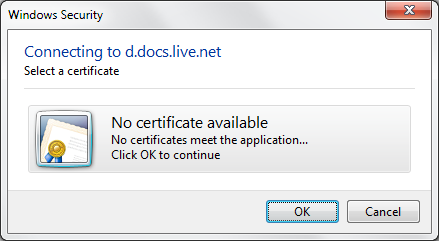
Windows Security
Connecting to d.docs.live.net
Select a certificate
No certificate available
No certificates meet the application…
Connecting to d.docs.live.net
Select a certificate
No certificate available
No certificates meet the application…
How to fix it?
Answer:
This is because Office 2010 certificate is expired.
And Microsoft has release kb2760386 to fix this issues at 2012.10.30.
Solution:
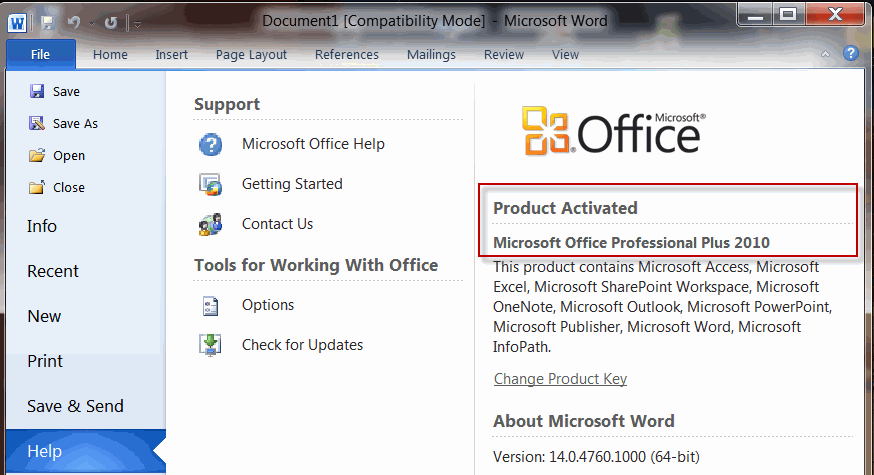
Check your office version. It is very old version: 14.0.4760.1000
This is because Office 2010 certificate is expired.
And Microsoft has release kb2760386 to fix this issues at 2012.10.30.
Solution:
Check your office version. It is very old version: 14.0.4760.1000
Go to the Windows Control Panel - 'Windows Update' - select 'Change Settings' from the menu on the left. From the drop-down menu, select 'Install Updates Automatically'. To enable Window install all updates automatically, it maybe fix this issues.
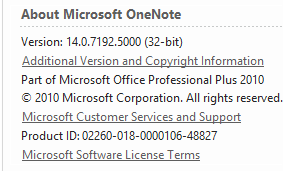
Currently, Office 2010 version is 14.0.7192.5000.
Currently, Office 2010 version is 14.0.7192.5000.
| EXE Addins | Cloud Addins | MAC Addins |
Related Documents
- OneNote: something went wrong during sync. We’ll try again later. (Error code: 0xE000002E)
- OneNote 365: we can't open this section because we found a problem with its contents.
- OneNote v2508 Modifies the Format Painter Keyboard Shortcut as Ctrl+Alt+C and Ctrl+Alt+V
- How to fix hit Ctrl key causes OneNote to zoom in or out of the page?
- Why stuck on Old OneNote 2016 in Office 2019 when Installed New OneNote from Microsoft Store?

